Overview
DexFLOW helps organizations automate document-driven workflows, approvals, routing, capture, monitoring, and exception handling across distributed teams and systems. Its configurable design supports phased implementation, integration with existing applications, and continued refinement as business requirements change.
When evaluating a workflow platform, consider the processes to be improved, required integrations, security and audit requirements, deployment model, implementation effort, operating cost, and expected business outcomes.
DexFLOW is a workflow management system that works out of the box. It combines clear, easy-to-use concepts with deep customization — from scriptable user actions and automatic scripts to adjustable forms and custom modules.
Whenever you are ready to discuss your needs in case management, document management, or workflow automation, our team is here to help. Reach out by phone or email and we will help guide your organization toward the right solution.
Architecture
DexFLOW is built on current Microsoft technologies and a modular set of service components that support configurable workflow, content management, security, monitoring, and integration. The rich client application is built with WinForms (net481), and web-based interfaces use Blazor and React. Server-side processing components are cross-platform, running on Windows or Linux on net9 with continued support toward net10, so processing nodes can be deployed in Windows, Linux, or mixed environments.
Capabilities
DexFLOW capabilities include, but are not limited to:
- Workflow management tools
- Indexing
- Interactive file capture
- Barcode recognition
- AutoHide
- Full-text search (FTS)
- Automatic item processing based on defined rules
- Document scanning into the system
- Automatic file capture
- Escalation
- A flexible database structure that lets you model any business process
Components
DexFLOW consists of the following basic components:
Dexik Workflow Solution Server
– a set of services and modules, running on one or more servers, that executes all the logical and business tasks of the case management, workflow, and document management system. It includes the Workflow Engine, Security Engine, Content Management, OCR, full-text search, Retention, Barcode Reader, and other processes required for effective automation.
Dexik Configuration Manager
– an application used by the workflow administrator to define data structures and workflow processes, configure user access and security, and manage user actions, automatic scripts, stamps, electronic forms, and other essential components of the solution.
Dexik Workflow User Console
– the primary client application where users capture, index, route, review, and process work items, with a configurable interface that can be tailored to each role.
DexCloud Service
– a distributed processing system that serves as a load balancing security server and execution engine for workflow tasks.
Dexik Workflow Automatic Processor Profiler
– an application for monitoring and profiling automatic processes within the workflow.
Dexik Workflow Web Console
– a browser-based application that provides functionality equivalent to the Dexik Workflow User Console. Built with modern web technologies (Blazor and React), it lets organizations provide workflow access through the browser without installing a desktop client.
Security
DexFLOW includes configurable security, audit trails, monitoring, and reporting capabilities designed to help organizations control access, trace processing activity, and evaluate workflow performance.
Deployment
DexFLOW adapts to a range of deployment models. Solution providers can host it for their customers; customers can have it hosted externally using the remote administration, configuration, and management tools; or you can keep full control of your data, images, and processes on your own infrastructure — saving time and money on hardware, software, and maintenance.
Advantages
A defining feature of DexFLOW is its designer concept. The system can be tailored to your requirements not only by the original developer but also by any expert you choose. In effect, you acquire a broad-spectrum software product: either the out-of-the-box functions are enough, or you engage professionals to make only the changes your business needs.
Changes in DexFLOW are made through its designer and take effect without redeployment, so users see the result quickly. Our customers can implement the essential functionality they need and expand their footprint of DexFLOW over time to minimize business disruption with the flexibility to expand and reconfigure over time.
Benefits
- Classification can help reduce task-processing costs by handling many routine tasks automatically.
- Automatic task distribution helps staff work more efficiently by routing each item to the right person.
- Escalation procedures help employees work in accordance with internal and external requirements.
- Reporting helps managers at every level measure productivity and identify process improvements.
Screenshots
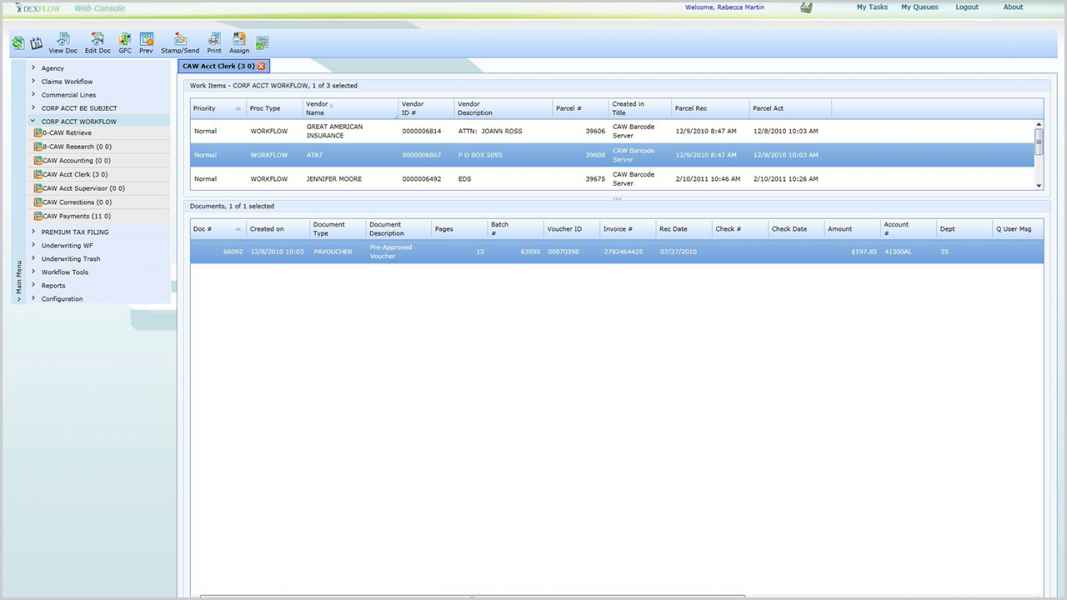
Work Queue 2
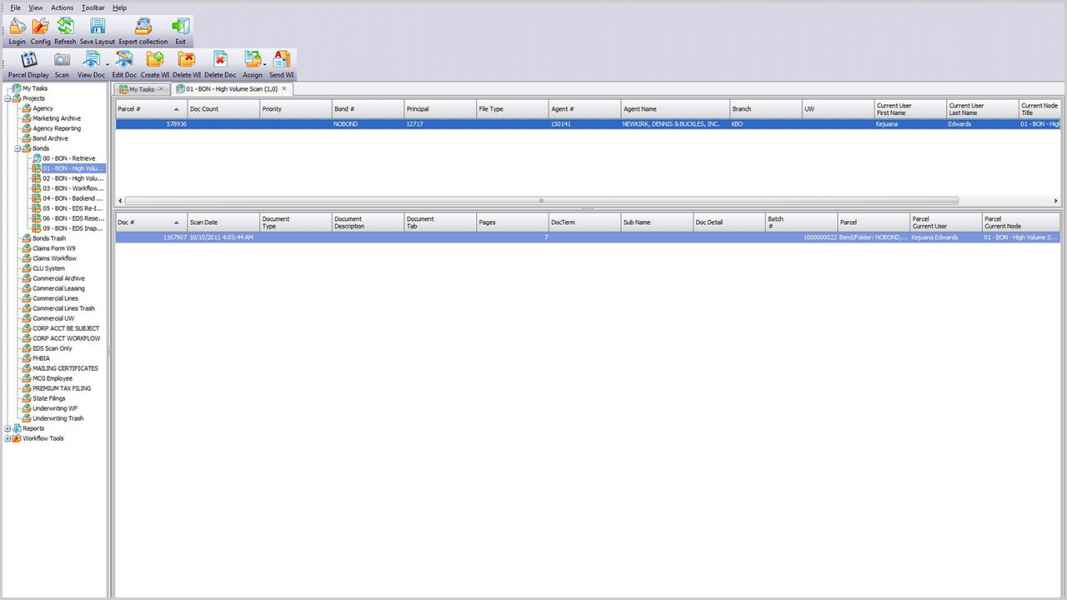
Workflow Queue
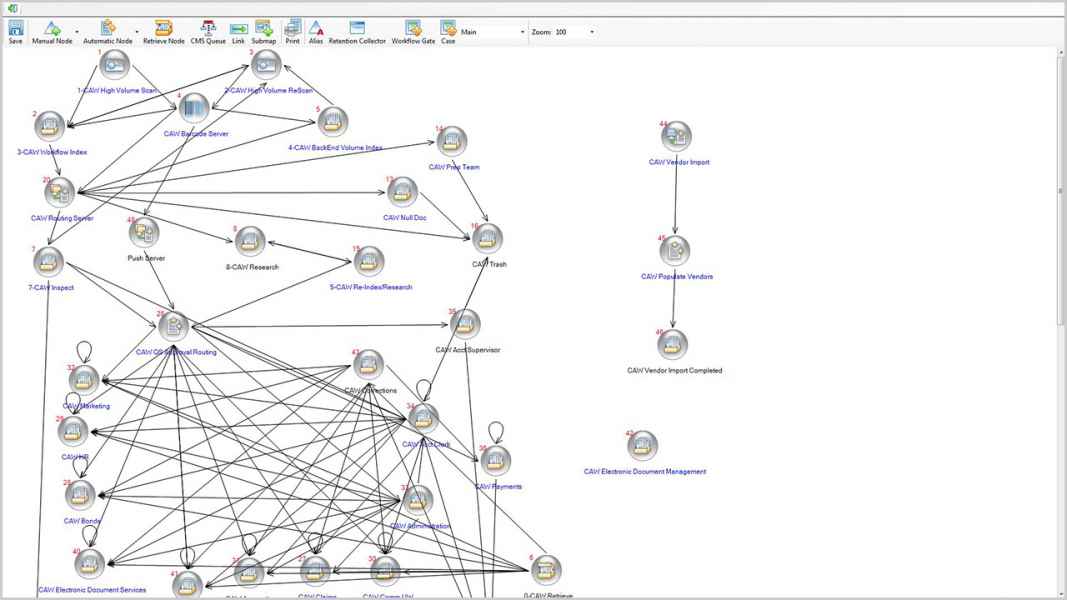
Workflow Map
Retrieve 2
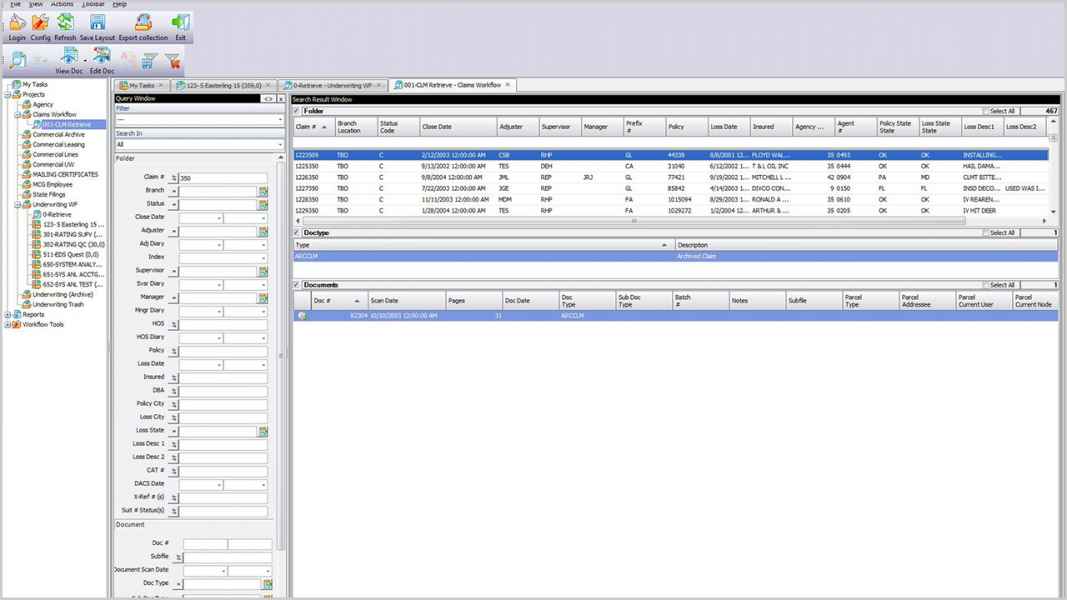
Retrieve
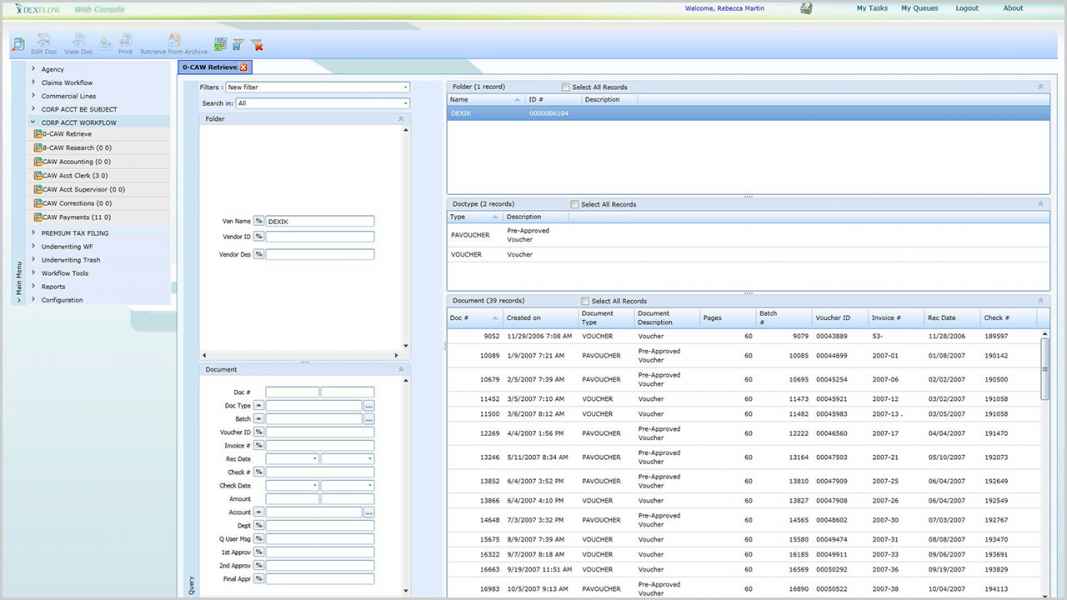
WF Monitor
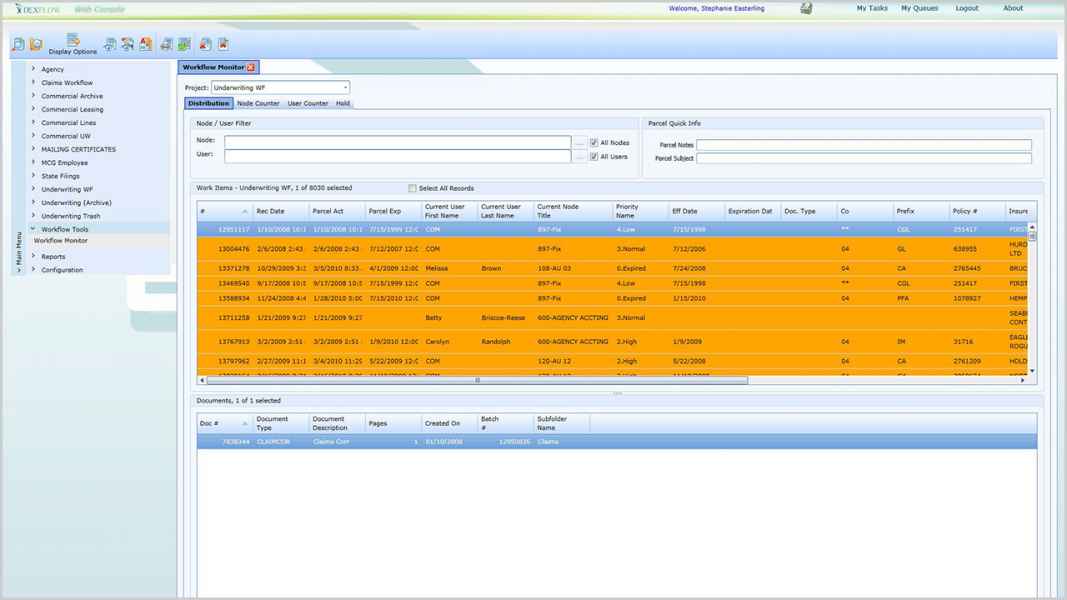
WF Monitor 2
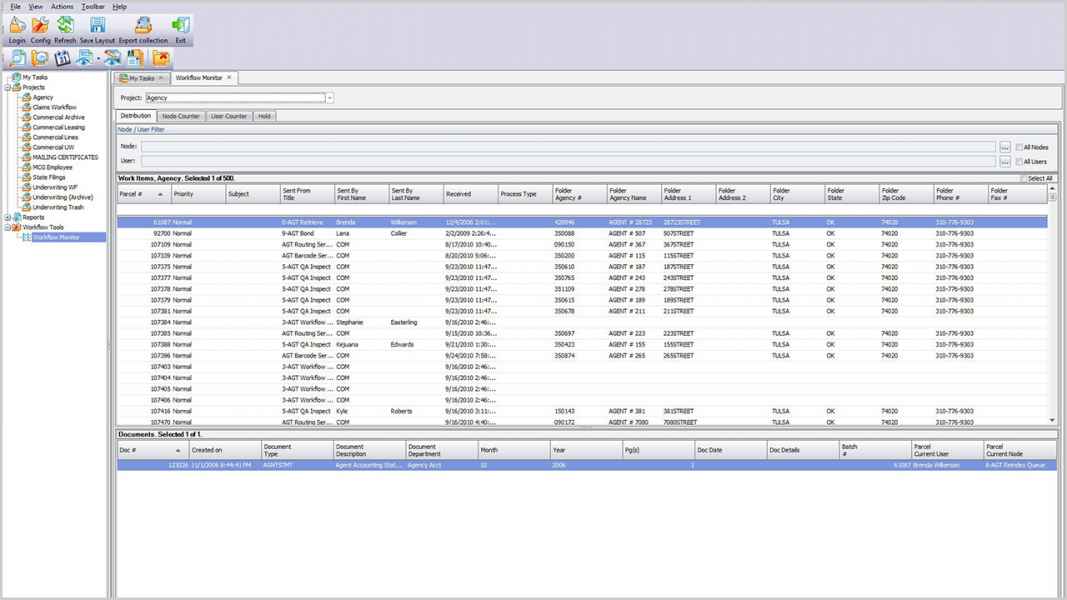
Explorer 2
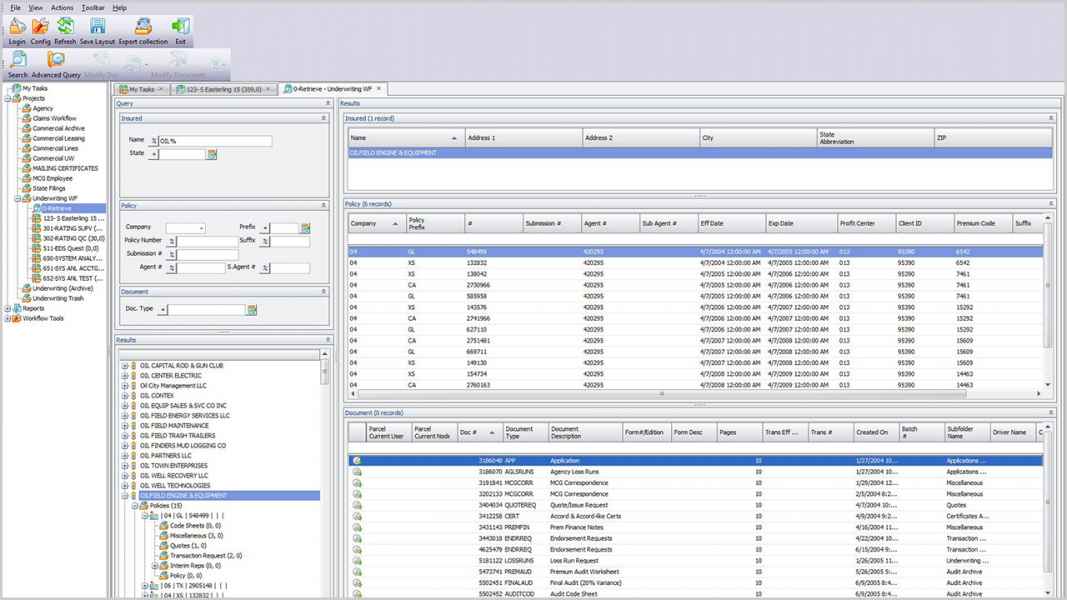
Explorer
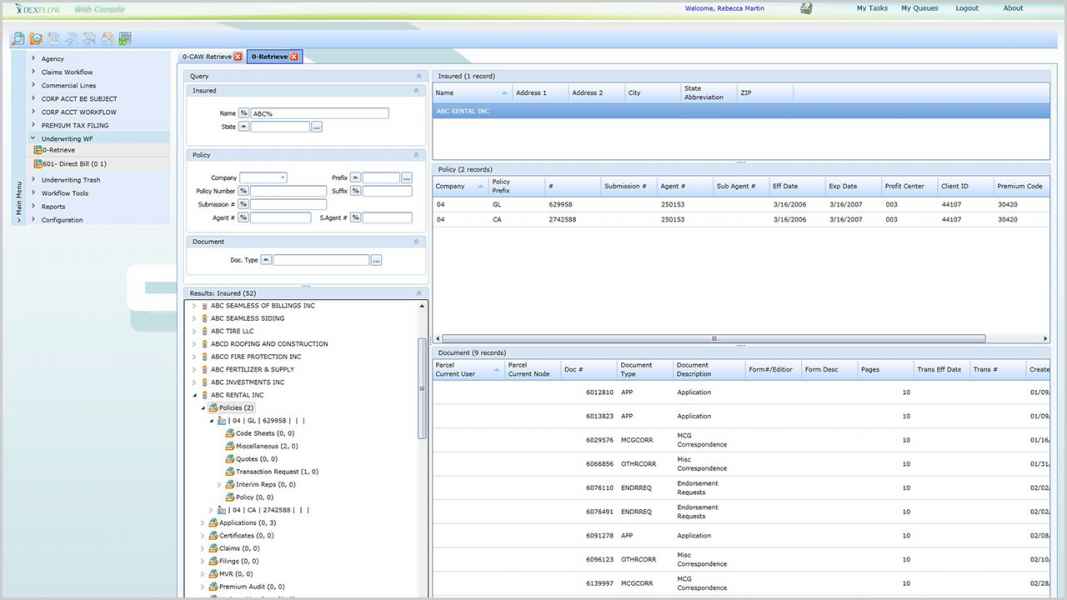
Document Viewer
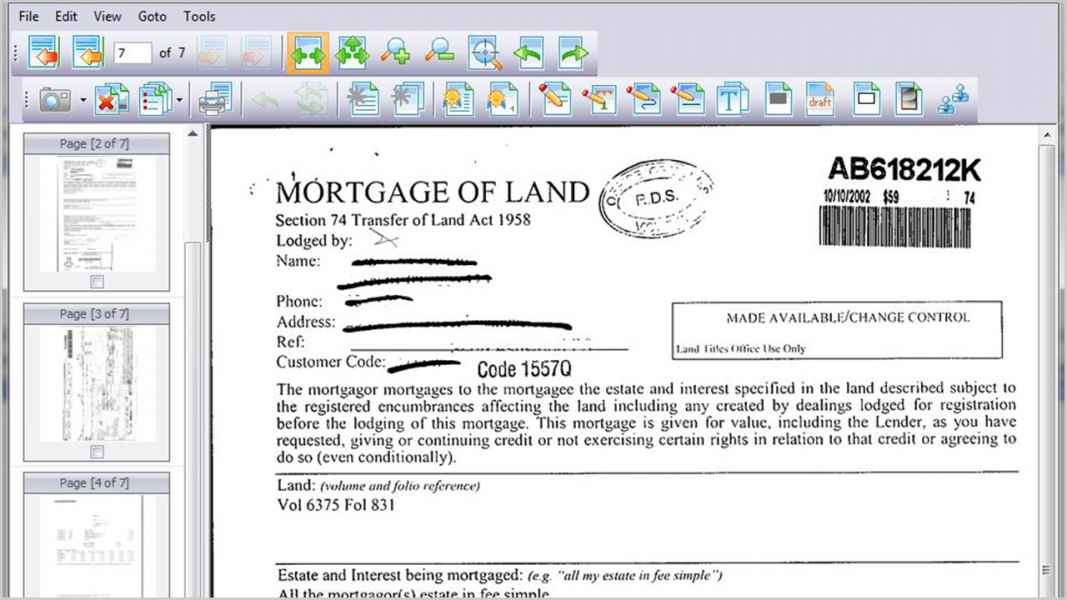
Advanced Queue
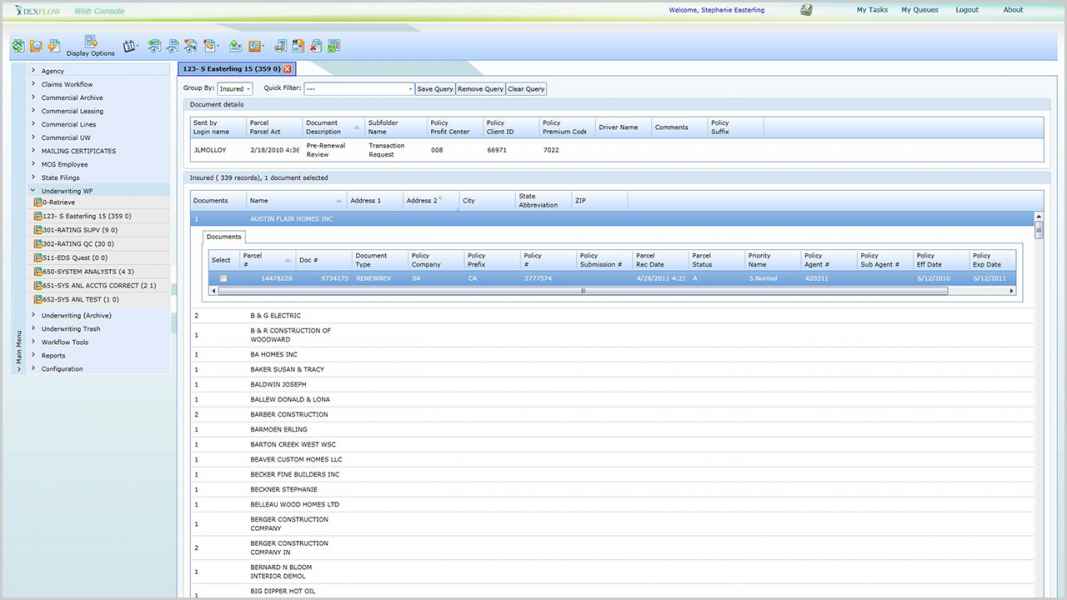
Advanced Queue 2
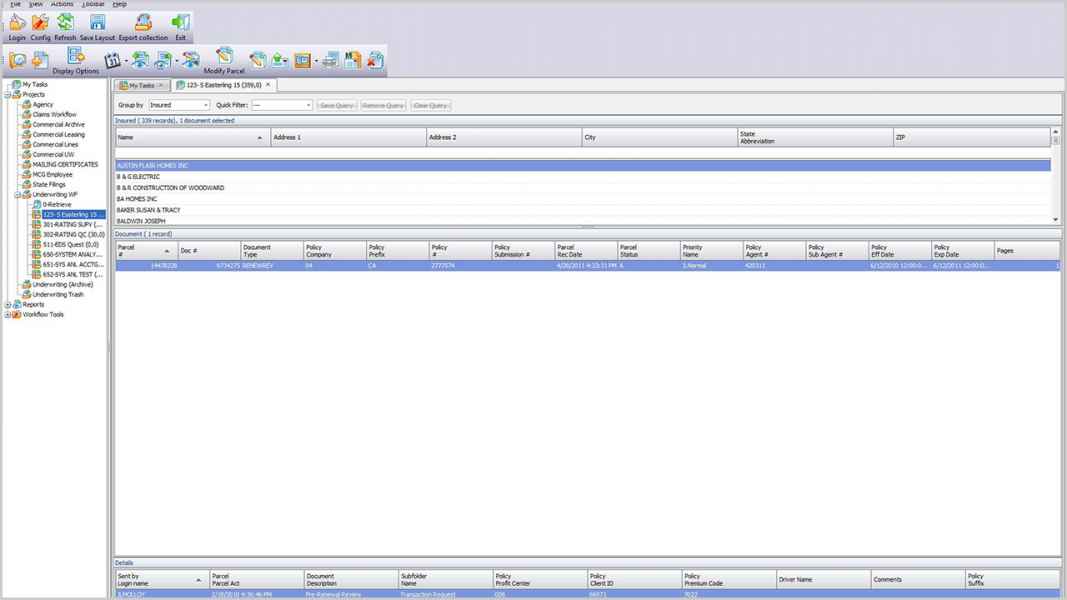
Dexik Workflow FAQ
Generic Functionality Questions
Does DexFLOW provide an ability to reassemble and maintain documents at the parcel level?
Yes, DexFLOW provides the ability to manipulate documents at parcel level.
Can we use out-of-the-box audit to track parcel/work item path through workflow?
DexFLOW provides a highly configurable audit system, allowing selectable types of events to capture, from generic events up to modification of a single or multiple fields on different user-defined tables.
What kind of security DexFLOW provides (role-based, ACL, etc.)?
The security in DexFLOW can be setup multiple ways, including role-based, ACL or by organization structure.
Can DexFLOW maintain a single image of record when routing to multiple users simultaneously (i.e. parallel routing, annotation and viewing)?
Dexik Content Management is a single source of all operations related to files and annotations. The CM records could be pointed from multiple logical documents in same or different projects. This architecture allows several document records to point to a single image or copies of the image, as necessary.
How can DexFLOW help to monitor user mailboxes (volume, workload, new mail, inprogress mail ) and group results by unit within an office or multiple office units?
Workflow monitor application has several access levels, including: Administrative (See All) and "By Organization Structure" (see mine and subordinate's work).
Is there an ability to route mail by document type to multiple users or groups?
Yes, DexFLOW supports parallel routing for parcels. At some point in workflow, the parcels will meet in Rendezvous Queue and merged together, based on the defined rules. The simplest rule is that original stays and other parcels are merged into original.
Will DexFLOW provide document routing capability based on user defined groups, role, distribution list, location, multiple levels of approval by role or dollar amount, user status (vacation, out-of-office), timers, and other user defined routing criteria (business rules)?
DexFLOW provides a variety of automatic routing options from the simple to advanced routing scripts, which can be C#/VB .NET or even DB stored procedures. The script may have a GUI for advanced configuration, if requested by customer. The Supervisor UI is available for on the fly changes w to the routing tables (vacation, sick days, etc.).
How can we make the process flow more intuitive with DexFLOW?
The Processing GUI (index, routing, etc.) can be configured as "wizard-style" to drive user through the process. At the same time, advanced users can use advanced UI, allowing more flexibility in the actions taken.
What capabilities DexFLOW supports to add a document to a workflow (scanning, electronic forms processing, document import processing, and drag & drop)?
DexFLOW supports the following input channels: scanning, remote scanning (background scanning), different types of electronic forms with/without conversion to permanent format (MS Word, Excel, PDF/FDF, DevExpress, InfoPath), drag&drop, file pickup, e-mail importing and document collection capture (import server). In addition, DexFLOW provides an ability to capture audio and video standard formats directly into the system.
Is it possible to provide a business process modeling tool and simulator for the design and analysis of proposed and existing workflow business processes?
Modeling tools is a very sensitive subject, since there is no defined criteria what should be modeler and how. Dexik has a set of tools to perform automatic system workload, simulating processes starting from capture, indexing and then through the automatic processes till document is committed. This tool is used primarily for QA a activities, but it could be adjusted per customer request to perform workflow simulation.
How DexFLOW performs real-time workflow activity monitoring and analysis?
Workflow Monitor and Statistics applications allows users to monitor, distribute and manage work items.
Does DexFLOW have an ability to manage a distribution list, i.e., see all names or selected names in a group?
Yes, DexFLOW provides the ability to either show full distribution list or customized per groups.